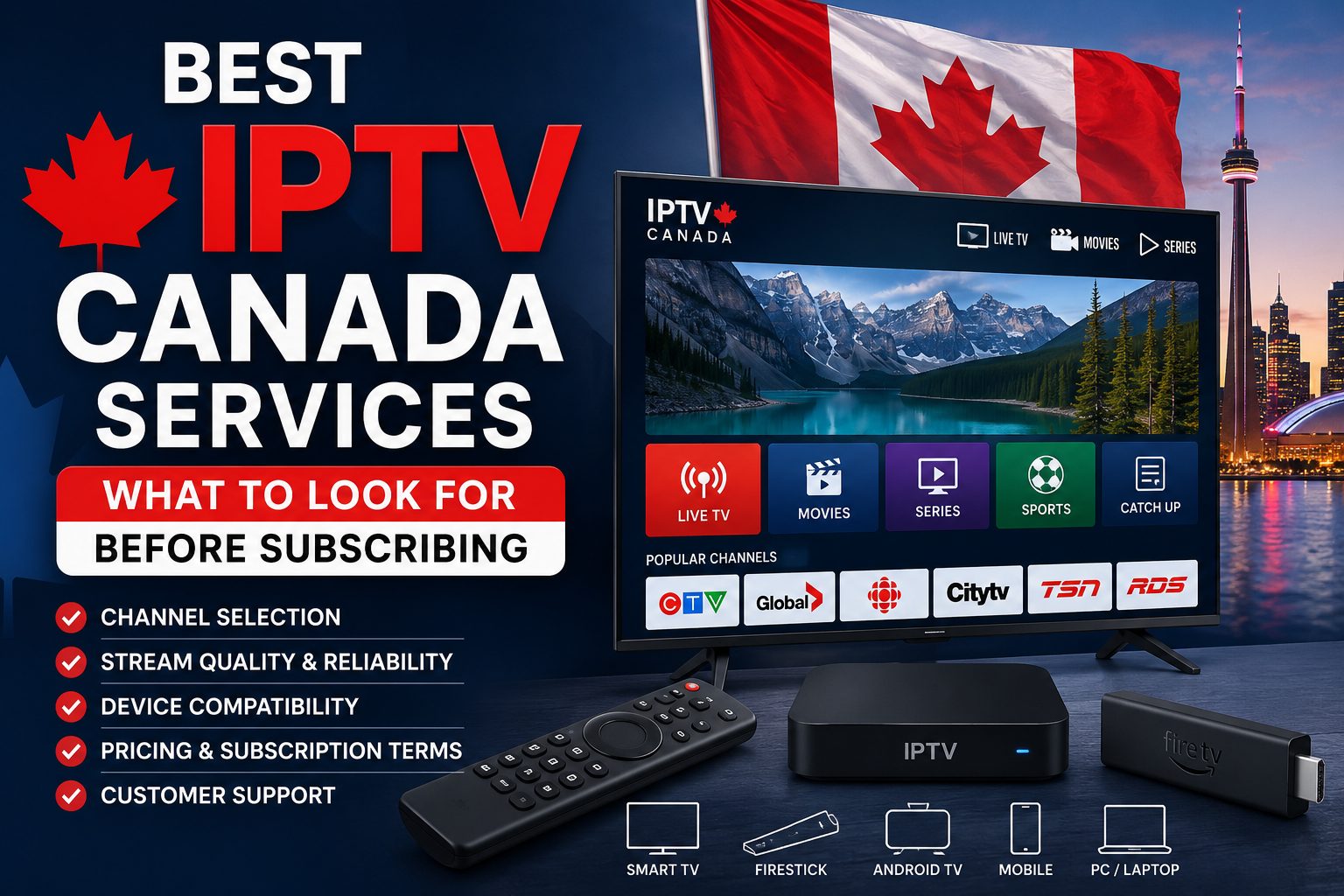
Best IPTV Canada Services: What to Look for Before Subscribing
Television viewing habits are changing quickly across Canada. Many households are moving away from traditional cable and satellite packages in favour of internet-based streaming services that offer live television, sports, movies, international programming, and on-demand entertainment.
As demand has increased, so has the number of IPTV providers targeting Canadian viewers. Some offer a stable and user-friendly experience, while others may have unreliable streams, unclear subscription terms, limited support, or content that does not match what was advertised.
Finding the best IPTV Canada services therefore requires more than choosing the provider with the biggest channel list or the lowest monthly price. Before subscribing, you need to consider content availability, server performance, device compatibility, internet requirements, customer support, pricing, and the transparency of the provider.
This guide explains exactly what Canadian viewers should check before purchasing an IPTV subscription.
What Is IPTV?
IPTV stands for Internet Protocol Television. It delivers television channels and video content through an internet connection rather than through a traditional cable line or satellite dish.
Depending on the service, an IPTV subscription may provide:
- Live Canadian and international television channels
- Sports networks and live sporting events
- Movies and television series
- Video-on-demand libraries
- Electronic program guides
- Catch-up television
- Multi-device access
- HD, Full HD, or 4K streams
IPTV can be watched on Smart TVs, Fire TV devices, Android TV boxes, smartphones, tablets, computers, and other compatible streaming devices.
The convenience is appealing, but the quality of the experience depends heavily on the provider, your device, and your home internet connection.
1. Check Whether the Provider Is Transparent
Transparency should be one of the first things you evaluate when comparing the best IPTV Canada services.
A trustworthy provider should clearly explain what the subscription includes, how much it costs, which devices are supported, how many connections are allowed, and what happens if the service does not work as expected.
Before paying, look for:
- Clearly displayed subscription prices
- Terms and conditions
- A privacy policy
- Refund or cancellation information
- Working contact details
- Details about activation times
- Information about supported applications
- Explanations of connection limits
Be cautious when a website provides almost no information about the company or its policies. You should also be careful when a seller pressures you to purchase immediately or communicates only through temporary messaging accounts.
An established-looking website does not automatically guarantee a dependable service. Read the available policies and contact customer support before purchasing a long-term subscription.
2. Examine the Canadian Channel Lineup
Large channel numbers are often used to attract customers, but the total number of channels does not always reflect the actual quality of the service.
A provider may advertise thousands of channels, but the list can include duplicates, regional variations, inactive streams, or channels in languages you never watch. Instead of focusing only on the advertised total, identify the programming that matters to your household.
Canadian viewers may want access to:
- National Canadian television networks
- Local or regional stations
- French-language programming
- English-language channels
- News networks
- Sports channels
- Children’s programming
- Movie networks
- South Asian, Arabic, European, African, or other international channels
Ask the provider whether it carries the specific channels you want. A service described as IPTV Canada may include Canadian content without providing every local or regional station.
Sports fans should be especially careful. Confirm that the package includes the exact networks or events you follow rather than assuming that “all sports” means every hockey, football, basketball, soccer, combat sports, or pay-per-view broadcast.
A smaller package containing the channels you genuinely use is more valuable than a huge but disorganized list.
3. Test Streaming Stability Before Committing
Reliability is one of the most important differences between an average service and one of the best IPTV Canada services.
An IPTV subscription may work well during quiet periods but become unstable during evenings, weekends, or major sporting events. These are the times when provider servers are under the greatest pressure.
When testing a service, look for:
- Fast channel loading
- Minimal buffering
- Stable picture quality
- Correct audio synchronization
- Smooth channel switching
- Reliable sports streams
- Accurate HD or 4K labels
- Working movies and series
- Consistent performance during peak hours
A trial, demonstration, or short-term package gives you an opportunity to test the service on your own network and device.
Do not test only one channel for a few minutes. Try Canadian channels, international stations, sports, movies, and video-on-demand content. Switch between channels several times and leave a stream running long enough to identify freezing or disconnections.
It is usually safer to begin with a monthly plan than to purchase a year immediately.
4. Make Sure Your Internet Connection Is Strong Enough
Because IPTV is delivered through the internet, your connection has a direct effect on picture quality and stability.
A slow or inconsistent connection can cause:
- Buffering
- Freezing
- Reduced video quality
- Delayed channel loading
- App disconnections
- Audio and video synchronization problems
As a practical guideline, approximately 25 Mbps can be sufficient for one HD stream, while households using several devices or regularly watching 4K content will benefit from 50–100 Mbps or more.
Speed is not the only consideration. Stability, router quality, Wi-Fi coverage, network congestion, and the number of active devices can also influence streaming performance.
For a detailed breakdown of speeds for SD, HD, Full HD, 4K, and multiple devices, read this guide explaining what internet speed you need for IPTV in Canada.
You should perform a speed test near the television or streaming device rather than beside the router. A household may pay for a fast internet plan while receiving a much weaker Wi-Fi signal in the room where IPTV is being watched.
When possible, connect your IPTV device using Ethernet. A wired connection is generally more consistent than Wi-Fi. When Ethernet is not practical, use a modern router, a strong 5 GHz or 6 GHz signal, or a mesh Wi-Fi system.
Canadian consumers can also review information about internet performance, contracts, billing, and consumer protections on the official CRTC internet services page.
5. Confirm Device Compatibility
Before subscribing, make sure the service works with the devices you already own or plan to purchase.
Common IPTV-compatible devices include:
- Amazon Fire TV and Firestick
- Android TV and Google TV devices
- Smart TVs
- Apple TV
- Android smartphones and tablets
- iPhones and iPads
- Windows and Mac computers
- MAG boxes
- Dedicated IPTV boxes
Ask the provider which application you will need. Some services work through an IPTV player using an M3U playlist, while others provide Xtream Codes login information or a dedicated application.
Check whether the required app is available through an official app store or must be installed manually. You should also confirm whether the application supports the features you need, such as favourites, parental controls, subtitles, catch-up TV, multiple profiles, or an electronic program guide.
Older Smart TVs may run IPTV apps slowly or provide limited application choices. In that situation, an external streaming stick or Android TV box may improve performance.
This comparison of the best devices for IPTV in Canada explains the advantages and limitations of Fire TV, Android TV, Google TV, Smart TVs, mobile devices, and dedicated streaming hardware.
6. Understand the Number of Connections
Many providers advertise that their subscription works on multiple devices. However, that does not necessarily mean you can watch on several devices simultaneously.
A subscription may allow you to install the service on a television, smartphone, and tablet while permitting only one active stream at a time.
Before subscribing, ask:
- How many simultaneous connections are included?
- Can additional connections be purchased?
- Can family members watch different channels?
- Can the service be used from more than one location?
- What happens when the connection limit is exceeded?
- Does every connection include the same features?
Choose a plan based on the number of people likely to watch at the same time, not simply the number of devices in your home.
A household with four televisions might require only two connections if no more than two people normally watch simultaneously. However, a single-connection plan can quickly become frustrating for a larger family.
7. Review the Electronic Program Guide
An electronic program guide, commonly called an EPG, makes it easier to see what is currently playing and what will air next.
A good EPG should:
- Load quickly
- Display the correct Canadian time zone
- Match the appropriate channels
- Show accurate program titles
- Provide current and upcoming schedules
- Be easy to navigate
Without a functioning guide, browsing hundreds or thousands of channels becomes difficult.
During a trial, test the EPG on the channels you watch most. Some services may provide accurate information for popular networks but incomplete listings for international or regional channels.
Also examine search and favourites. These features can significantly improve the experience when the service contains a large channel library.
8. Evaluate Catch-Up TV and Video on Demand
Many IPTV providers promote catch-up television and extensive video-on-demand libraries.
Catch-up television allows viewers to replay programs that have already aired. However, it may be limited to selected channels or a certain number of previous days.
Ask:
- Which channels support catch-up?
- How many days are saved?
- Does catch-up work on every supported application?
- Is it included in the subscription price?
You should also test the video-on-demand library rather than trusting the advertised number of titles.
Check whether:
- Movies play correctly
- Series contain complete seasons
- Episodes are listed in the correct order
- Descriptions and posters are accurate
- Subtitles are available
- Search works properly
- New content is added regularly
A well-organized library with fewer functioning titles provides a better experience than a massive library full of duplicates, missing episodes, or broken links.
9. Contact Customer Support Before Paying
Good customer support can make a major difference when you are setting up a new device, installing an application, entering account details, or troubleshooting a playback problem.
Contact the provider before purchasing and ask a specific question. For example, ask whether your television is supported, how many connections are included, or whether a certain channel is available.
Evaluate:
- Response speed
- Quality of the answer
- Communication clarity
- Technical knowledge
- Availability outside sales hours
- Willingness to explain subscription terms
A generic answer that does not address your question may indicate that support will be limited after payment.
Support may be available through email, live chat, tickets, messaging applications, or installation guides. The method matters less than whether customers can receive useful assistance when something goes wrong.
New users can follow this complete guide on how to set up IPTV in Canada, which covers compatible devices, applications, login credentials, and common troubleshooting steps.
10. Read the Pricing and Renewal Conditions
The lowest price is not always the best value. Compare the full subscription terms rather than looking only at the advertised monthly cost.
Check:
- Whether prices are displayed in Canadian dollars
- Whether taxes or fees are added
- Whether the subscription renews automatically
- Whether extra connections cost more
- Whether premium features are included
- Whether there is a refund period
- How cancellations are handled
- Which payment methods are accepted
Be cautious about paying for a lengthy plan before testing the service. Annual subscriptions may offer a lower monthly cost, but they also create more risk if performance changes or the provider becomes unavailable.
Starting with a trial or short subscription allows you to judge reliability before making a larger commitment.
11. Consider Account Security and Privacy
Use a unique password for your IPTV account and do not share your login information publicly. Keep your streaming device, operating system, and IPTV application updated.
When installing an app, review where it comes from and what permissions it requests. Avoid downloading unknown files from suspicious pages.
Some viewers use a VPN to improve privacy, particularly when streaming over public Wi-Fi. However, a VPN does not guarantee that a provider is authorized, and it cannot automatically solve buffering. VPN performance depends on server quality, distance, network congestion, and the device being used.
Choose a provider based on transparency and service quality rather than claims that a VPN makes every type of content access acceptable.
12. Compare IPTV With Cable TV in Canada
IPTV may offer more flexibility, device compatibility, international content, and potentially lower costs than a traditional television package. Cable can offer familiar equipment, established customer service, dependable local programming, and straightforward installation.
Your best choice depends on:
- The channels you watch
- Your monthly budget
- Your internet connection
- Your preferred devices
- Your technical comfort level
- Your need for local Canadian stations
- The number of simultaneous viewers
Remember to compare the total cost. IPTV still requires internet service and may require a streaming device or additional connections.
For a more detailed comparison, read IPTV vs. cable TV in Canada, which examines pricing, equipment, channel variety, flexibility, and performance.
Warning Signs to Avoid while choosing the best IPTV Canada services
Be careful when an IPTV provider displays several of the following warning signs:
- No terms or privacy policy
- No reliable customer support
- No explanation of subscription features
- Pressure to purchase immediately
- Only long-term plans with no testing option
- Unrealistic promises of perfect uptime
- Unclear refund conditions
- Suspicious app downloads
- Frequently changing payment information
- Channel claims that cannot be verified
- Reviews that appear copied or artificial
One warning sign does not always prove that a service is unreliable. However, several warning signs together should make you reconsider the purchase.
Checklist for Choosing the Best IPTV Canada Services
Before subscribing, confirm that:
- The provider clearly displays its prices and policies.
- The Canadian and international channels you want are included.
- The streams work reliably during peak viewing hours.
- Your internet connection supports the desired quality.
- The service is compatible with your preferred device.
- The package includes enough simultaneous connections.
- The electronic program guide works correctly.
- Catch-up and video-on-demand features function as advertised.
- Customer support provides clear and useful answers.
- Renewal, refund, and cancellation terms are understandable.
Frequently Asked Questions
What are the best IPTV Canada services?
The best choice depends on your preferred channels, devices, internet speed, number of connections, budget, and support expectations. Test a service before purchasing a long-term plan.
How much internet speed is needed for IPTV in Canada?
Approximately 25 Mbps may be sufficient for one HD stream. Households watching 4K content or streaming on several devices should consider 50–100 Mbps or more.
Can I use IPTV on a Firestick or Smart TV?
Many IPTV services work on Fire TV, Android TV, Google TV, Smart TVs, smartphones, tablets, and computers. Confirm the required application before subscribing.
Should I buy a yearly IPTV subscription?
It is safer to begin with a trial or monthly package. Consider a longer subscription only after confirming the service’s reliability, channel selection, support, and device compatibility.
Does IPTV include Canadian channels?
Many providers include Canadian programming, but channel lineups vary. Ask for an updated list and confirm the specific national, local, regional, French-language, or sports channels you need.
Is IPTV legal in Canada?
IPTV is a television delivery technology. Whether a particular service is authorized depends on whether the provider has permission to distribute the content it offers. Choose a transparent provider and avoid services making unrealistic content claims.
Final Thoughts: best IPTV Canada services
Finding the best IPTV Canada services requires careful comparison. A large channel list and an attractive price may catch your attention, but reliability, device support, internet performance, customer service, and transparent subscription terms determine the real value of the service.
Start by identifying the channels and features your household actually needs. Test the service on your own device and internet connection, preferably during busy viewing hours. Contact support, inspect the program guide, and review the refund and renewal policies before making a long-term commitment.
The best IPTV service in Canada is not necessarily the one advertising the most content. It is the one that works consistently, supports your preferred devices, offers the programming you watch, and provides clear information before and after you subscribe.