What Internet Speed Do You Need for IPTV in Canada? Complete Guide 2026
IPTV has become one of the most popular ways Canadians watch live TV, movies, sports, series, and international channels. Instead of using traditional cable or satellite, IPTV delivers television content through your internet connection. Because of that, your internet speed plays a major role in how smooth your IPTV experience will be.
So, what internet speed do you need for IPTV in Canada in 2026?
For most users, 25 Mbps is enough for one HD IPTV stream, while 50 Mbps or more is recommended for 4K IPTV or households with multiple devices. If you want the best possible streaming experience, especially for live sports and high-definition channels, your connection must be both fast and stable.
In this complete guide, we will explain the recommended IPTV internet speeds for SD, HD, Full HD, and 4K streaming. We will also cover why IPTV buffers, how Wi-Fi affects performance, and how Canadian users can optimize their home internet setup for smooth IPTV streaming.
What Is IPTV and Why Does Internet Speed Matter?
IPTV stands for Internet Protocol Television. It allows users to watch TV channels, movies, and on-demand content through the internet instead of using a cable box or satellite dish.
Because IPTV depends on your internet connection, your streaming quality is directly affected by speed, stability, and network performance. If your internet is too slow or unstable, you may experience buffering, freezing, poor video quality, or channels taking too long to load.
A reliable IPTV provider such as NeoflixHD can offer strong servers and high-quality streams, but your home internet connection still needs to be good enough to support the quality you want to watch.
For example, watching a standard-definition channel requires much less bandwidth than watching a 4K live sports event. Similarly, one IPTV device uses less bandwidth than a household where multiple people are streaming, gaming, browsing, and using video calls at the same time.
Minimum Internet Speed for IPTV in Canada
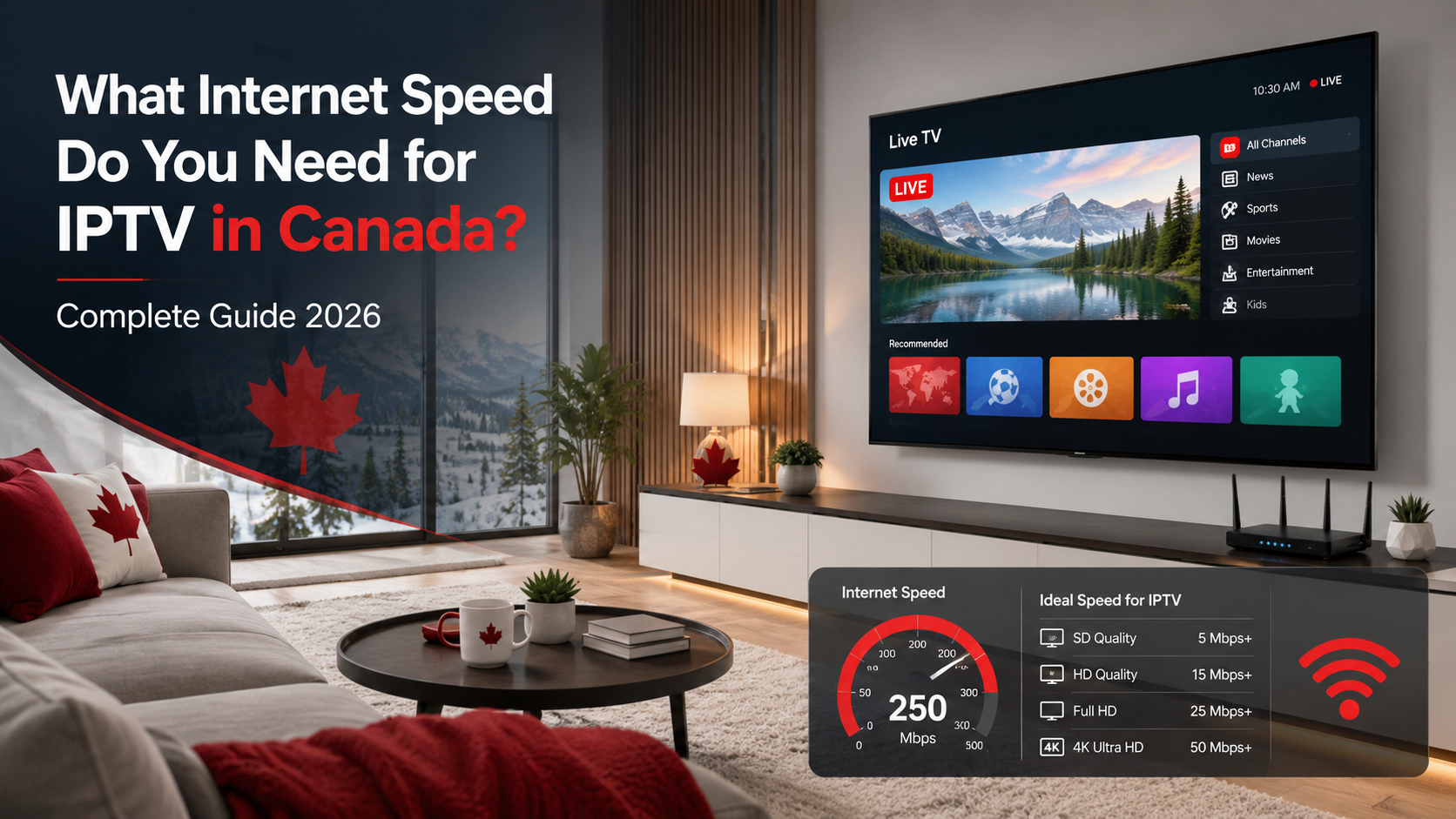
The minimum internet speed for IPTV depends on the video quality you want to watch. Here is a practical guide for Canadian users in 2026:
| IPTV Quality | Minimum Speed | Recommended Speed |
|---|---|---|
| SD Streaming | 5 Mbps | 10 Mbps |
| HD Streaming | 10 Mbps | 15–25 Mbps |
| Full HD 1080p | 15 Mbps | 25–40 Mbps |
| 4K UHD IPTV | 25 Mbps | 50 Mbps+ |
| Multiple Devices | 50 Mbps | 100 Mbps+ |
For one person watching IPTV in HD, a 25 Mbps connection is usually enough. However, for families, 4K streaming, sports channels, or multiple connected devices, a faster plan is recommended.
In Canada, the CRTC identifies 50 Mbps download and 10 Mbps upload as the national broadband service objective, which is a useful benchmark for modern households that use streaming, video calls, gaming, and IPTV together. You can read more on the official CRTC broadband fund page.
Is 25 Mbps Enough for IPTV?
Yes, 25 Mbps can be enough for IPTV if you are watching on one device and streaming in HD or Full HD. Many IPTV users can enjoy smooth performance with 25 Mbps, especially when using a wired Ethernet connection or strong Wi-Fi signal.
However, 25 Mbps may not be enough in every situation. You may experience buffering if:
- Multiple people are using the internet at the same time
- Your IPTV device is far from the router
- You are watching 4K content
- You are using a VPN that reduces speed
- Your internet provider slows down during peak hours
- Background downloads are running on other devices
- Your router is old or overloaded
For a single IPTV user, 25 Mbps is a reasonable starting point. For a household with several devices, 50 Mbps or 100 Mbps is a much better choice.
Recommended Internet Speed for 4K IPTV
For 4K IPTV in Canada, you should aim for at least 50 Mbps download speed. While some 4K streams may work at around 25 Mbps, a 50 Mbps connection gives you more room for network changes, Wi-Fi loss, and other devices using bandwidth.
4K IPTV uses more data because the picture quality is much higher than HD or Full HD. Live sports in 4K can also require more bandwidth because fast movement is harder to compress smoothly. Hockey, football, UFC, soccer, and basketball streams can be more demanding than regular TV shows or movies.
For the best 4K IPTV setup, use:
- 50 Mbps or faster internet
- Ethernet connection where possible
- A modern router
- A quality IPTV device
- An updated IPTV app
- Unlimited monthly internet data
- Strong Wi-Fi coverage if Ethernet is not available
If you regularly watch 4K content, a 100 Mbps internet plan is even better. This gives your household enough room for IPTV, smartphones, laptops, gaming consoles, and other connected devices.
How Much Internet Speed Do You Need for Multiple IPTV Devices?
If more than one person in your home uses IPTV, your internet speed needs to increase. Each active IPTV stream uses part of your available bandwidth.
Here is a simple guide:
| Household Setup | Suggested Internet Speed |
|---|---|
| 1 IPTV device | 25 Mbps |
| 2 IPTV devices | 50 Mbps |
| 3 IPTV devices | 75–100 Mbps |
| 4K IPTV + gaming + browsing | 100–150 Mbps |
| Large household | 150–300 Mbps |
For example, if one person is watching IPTV in the living room, another is watching on a tablet, and someone else is gaming online, a 25 Mbps connection may struggle. In that case, 100 Mbps or more is recommended.
If you are new to IPTV and need help installing apps, entering login details, or setting up your device properly, this IPTV setup guide for Canada can help you get started step by step.
Download Speed vs Upload Speed for IPTV
For IPTV streaming, download speed is more important than upload speed. This is because IPTV content is being delivered from the server to your device.
When you watch live TV, movies, or sports, your device downloads the video stream in real time. If your download speed is too low, the stream cannot load fast enough, which causes buffering or freezing.
Upload speed is less important for watching IPTV, but it still matters for other online activities such as:
- Video calls
- Online gaming
- Cloud backups
- Uploading large files
- Security cameras
- Working from home
If someone in your home is uploading files or using video calls while you watch IPTV, it can affect your connection stability. This is why a balanced internet plan is better for households with multiple users.
For most IPTV users in Canada, a plan with at least 50 Mbps download and 10 Mbps upload is a solid baseline.
Does Wi-Fi Affect IPTV Streaming?
Yes, Wi-Fi can strongly affect IPTV performance. Many users think their internet is slow, but the real issue is weak Wi-Fi signal.
For example, you may pay for a 100 Mbps internet plan, but your IPTV device may only receive 15 Mbps if it is far from the router. Walls, floors, distance, interference, and old equipment can all reduce Wi-Fi performance.
Common Wi-Fi problems include:
- Router placed too far from the TV
- Thick walls between router and IPTV device
- Too many devices connected at once
- Old router hardware
- Interference from nearby networks
- IPTV device connected to 2.4 GHz instead of 5 GHz
- Weak signal in basements or upper floors
For the best IPTV experience, use an Ethernet cable whenever possible. Ethernet is more stable than Wi-Fi and helps reduce buffering, freezing, and sudden drops in quality.
If Ethernet is not possible, connect your device to a 5 GHz Wi-Fi network or use a mesh Wi-Fi system to improve coverage throughout your home.
Best Internet Type for IPTV in Canada
The type of internet connection you use can also affect IPTV quality. Not all internet connections perform the same, even if the advertised speed looks similar.
Fibre Internet
Fibre internet is the best option for IPTV. It offers high speed, low latency, and excellent stability. It is ideal for 4K IPTV, multiple devices, gaming, and working from home.
Cable Internet
Cable internet is widely available in Canada and works well for IPTV. It can provide fast download speeds, but performance may drop during peak evening hours in some areas.
DSL Internet
DSL can work for SD or HD IPTV if the connection is stable, but it may not be ideal for 4K streaming or multiple IPTV devices.
Satellite Internet
Satellite internet can be useful in rural areas, but it often has higher latency and may include data limits. It is not the best choice for live IPTV unless no better option is available.
5G Home Internet
5G home internet can work well for IPTV when signal strength is strong. However, performance can vary depending on your location, tower congestion, and network conditions.
Why IPTV Buffers Even With Fast Internet
Buffering does not always mean your internet plan is too slow. IPTV can buffer for several reasons, even if your speed test shows good results.
The most common causes include:
Weak Wi-Fi Signal
Your internet plan may be fast, but your IPTV device may not be receiving enough speed because of weak Wi-Fi.
Network Congestion
Internet speeds can drop during peak hours, especially in the evening when many people are streaming at the same time.
Too Many Devices Connected
Phones, laptops, tablets, smart TVs, cameras, and gaming consoles all share your connection. If several devices are active at once, IPTV performance can suffer.
Old IPTV Device
Older Firesticks, Android boxes, Smart TVs, or IPTV receivers may struggle to process modern HD and 4K streams.
Router Problems
An outdated or low-quality router can slow down your home network, especially if many devices are connected.
VPN Slowdown
A VPN can reduce internet speed depending on the server location, encryption level, and VPN provider. If IPTV buffers while using a VPN, try switching to a faster server.
Low Server Quality
Your IPTV provider’s server quality also matters. Even with fast internet, poor server performance can cause buffering or unstable streams.
How to Test Your Internet Speed for IPTV
Before upgrading your internet plan, test the real speed near your IPTV device. Do not only test beside the router, because that may not show the speed your TV or IPTV box is actually receiving.
Follow these steps:
- Open a speed test app or website on your IPTV device, Smart TV, or phone near your TV.
- Run the test during peak hours, especially in the evening.
- Check download speed, upload speed, and ping.
- Repeat the test using Wi-Fi and Ethernet if possible.
- Compare the result with your IPTV streaming quality.
If your internet plan is 100 Mbps but your IPTV area only gets 20 Mbps, the problem is likely your Wi-Fi setup rather than your internet package.
How to Improve IPTV Streaming Quality
You can often improve IPTV performance without upgrading your internet plan. Start by optimizing your home network and streaming device.
Try these tips:
- Use Ethernet instead of Wi-Fi
- Restart your modem and router
- Move your router closer to your IPTV device
- Use 5 GHz Wi-Fi instead of 2.4 GHz
- Disconnect unused devices
- Close background apps
- Update your IPTV app
- Upgrade an old Firestick or Android box
- Use a mesh Wi-Fi system for larger homes
- Avoid large downloads while watching IPTV
- Choose an unlimited internet plan
Your device also matters. A slow or outdated device can cause freezing even when your internet connection is fast. If you are unsure which device to use, this guide to the best devices for IPTV in Canada explains the top options for smooth streaming.
How Much Data Does IPTV Use?
IPTV data usage depends on the video quality and how long you watch.
Here are approximate data usage estimates:
| IPTV Quality | Data Usage Per Hour |
|---|---|
| SD | 1–2 GB |
| HD | 2–4 GB |
| Full HD | 3–6 GB |
| 4K UHD | 7–15 GB |
If you watch IPTV for several hours per day, your monthly data usage can become high. For example, watching 4K IPTV for three hours per day could use hundreds of gigabytes each month.
For this reason, Canadian IPTV users should choose an unlimited internet plan whenever possible. A data-capped plan may not be suitable for heavy IPTV streaming.
Best IPTV Internet Speed Recommendation for Canada in 2026
For most Canadian households, the best IPTV internet speed in 2026 is:
50 Mbps minimum for regular IPTV users
100 Mbps or more for families, 4K IPTV, sports, and multiple devices
Here is the easiest way to choose:
- Choose 25 Mbps if you only watch one HD stream.
- Choose 50 Mbps if you want smoother HD and occasional 4K.
- Choose 100 Mbps if multiple people stream at the same time.
- Choose 150 Mbps+ for large homes, 4K sports, gaming, and heavy usage.
Speed is important, but stability is even more important. A stable 50 Mbps fibre connection can perform better than an unstable 150 Mbps Wi-Fi connection.
Final Verdict: What Internet Speed Do You Need for IPTV in Canada?
For IPTV in Canada, you do not always need the fastest internet plan available. However, you do need a connection that is fast, stable, and strong enough for your household size.
A single user can usually stream IPTV smoothly with 25 Mbps, while most households should aim for 50–100 Mbps. For 4K IPTV, live sports, and multiple connected devices, 100 Mbps or higher is the best option.
To get the best IPTV experience in 2026, combine a reliable internet plan, strong Wi-Fi or Ethernet, an updated streaming device, and a dependable IPTV service. When all of these factors work together, you can enjoy smoother channels, better picture quality, and fewer buffering problems.